Inner
Nature.
Your body becomes
the creator
- Project
- Inner Nature
Academic experiment - My role
- Design & Interaction
Creative technology · UX/UI - Software
- TouchDesigner · Python
StreamDiffusion - Hardware
- Muse 2 headband
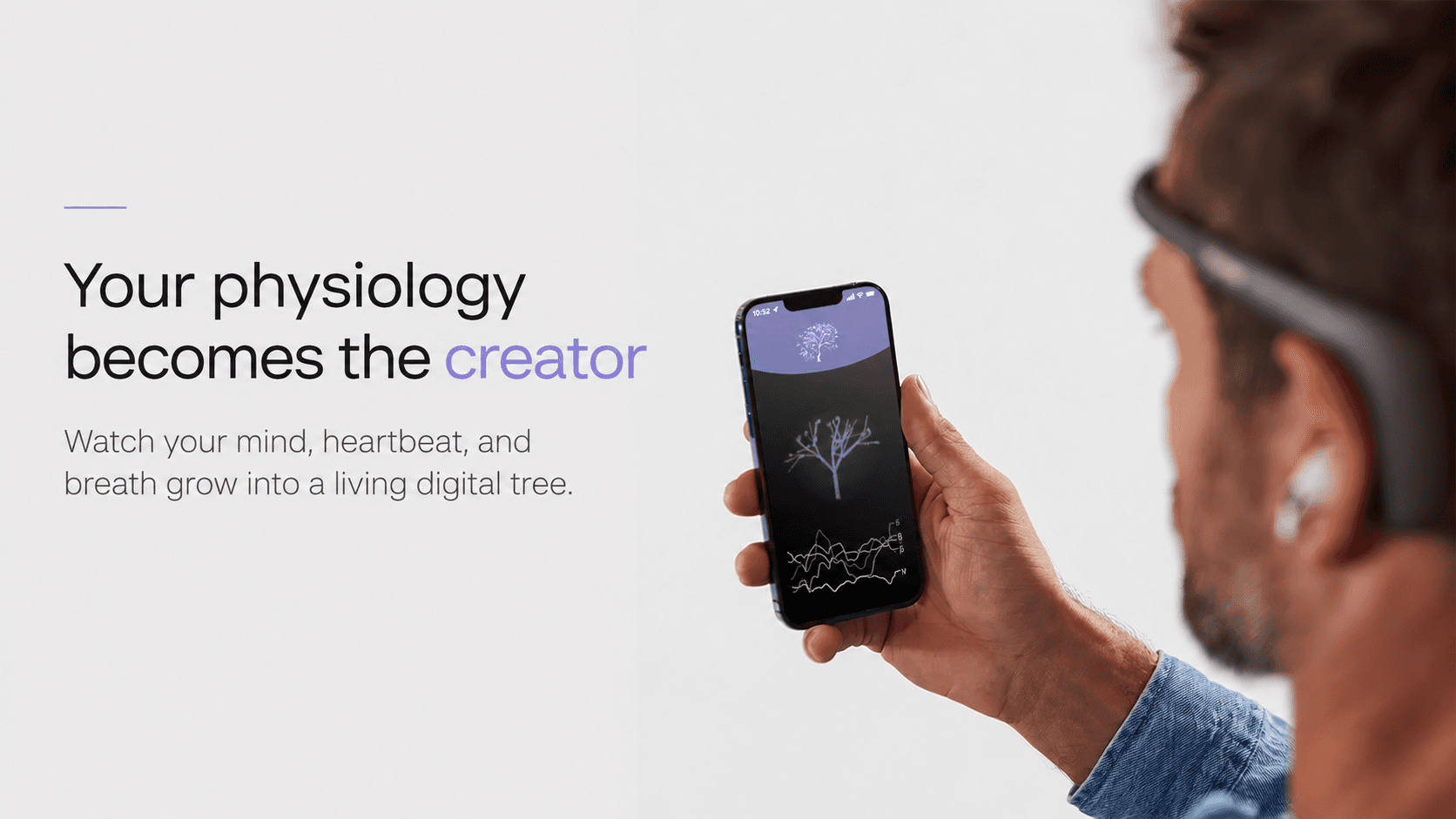
Inner Nature is an interactive visual experiment that translates biofeedback into a living digital plant. Brainwaves, heart pulse, and breath influence its form, rhythm, and movement. Different input values create different visual expressions, from a flourishing plant to a tree without leaves.
I developed the experiment as a master’s student in Design & Interaction. In TouchDesigner, I set rules based on the biofeedback inputs, with Muse 2 brainwave data arriving through OSC. The reactive visual becomes the basis for an evolving representation generated with StreamDiffusion.
This case study explores how that existing system could become an approachable mobile experience. My focus is the interaction design and UX/UI: guiding someone through connecting Muse 2, checking the signal, experiencing the visual, and keeping a session.
Biofeedback
Brainwaves · heart · breath
TouchDesigner
Rules responding to the inputs
A living visual
Reactive form + generated appearance
Bio-Data
The body as input.
Brainwaves, heart pulse, and breath become inputs for the experience. The rules I set in TouchDesigner translate changes in those signals into the form, rhythm, and movement of the visual.
System / Process
From signal to visual.
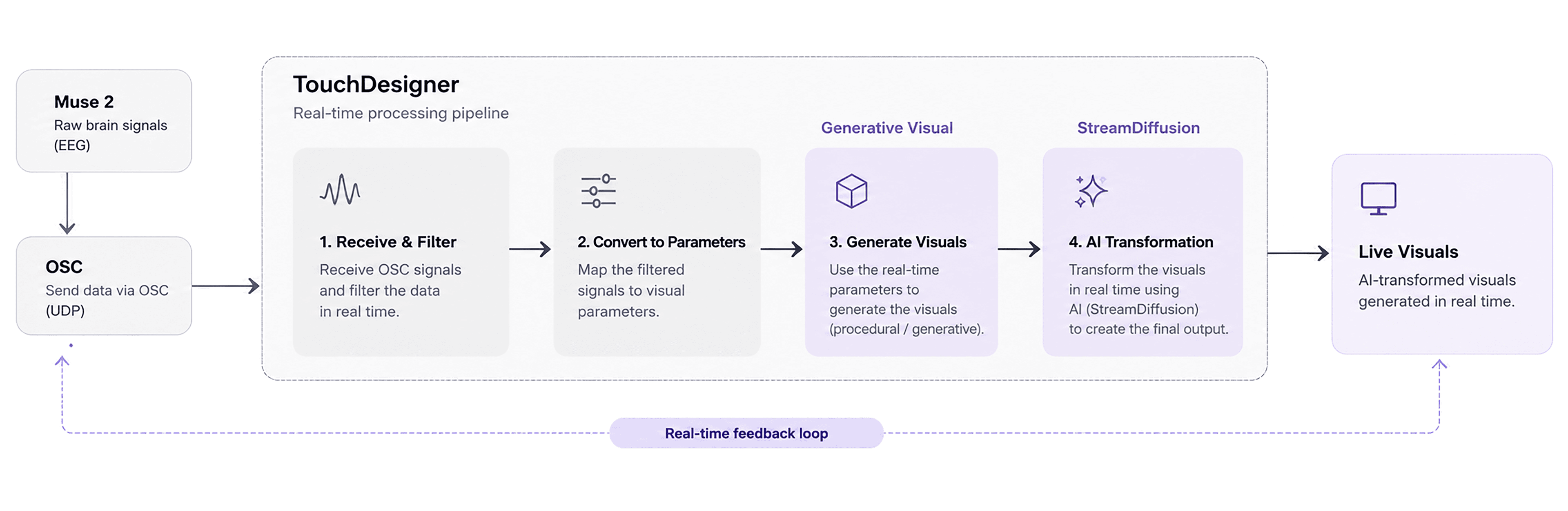
Muse 2 brainwave data reaches TouchDesigner through OSC. The rules I set translate biofeedback into a responsive plant, which becomes the input for StreamDiffusion and its evolving generated visuals.
Biofeedback Scenarios
Different States, Different Visuals
Two recordings show the relationship directly. Each pairs the bio-reactive visual with its generated representation: one flourishing, the other a tree without leaves.
Relaxed
In the relaxed scenario, the biofeedback inputs produce a flourishing visual. The recording pairs the reactive plant with its diffusion-generated representation.
Stressed / less relaxed
In the stressed / less relaxed scenario, different input values produce a tree without leaves. Its generated representation changes with the underlying visual.
Mobile App Design
I translated the biofeedback experiment into a mobile application, designing the user flow and interface for connecting the Muse 2, starting a session, and viewing the real-time physiological response.
User Journey
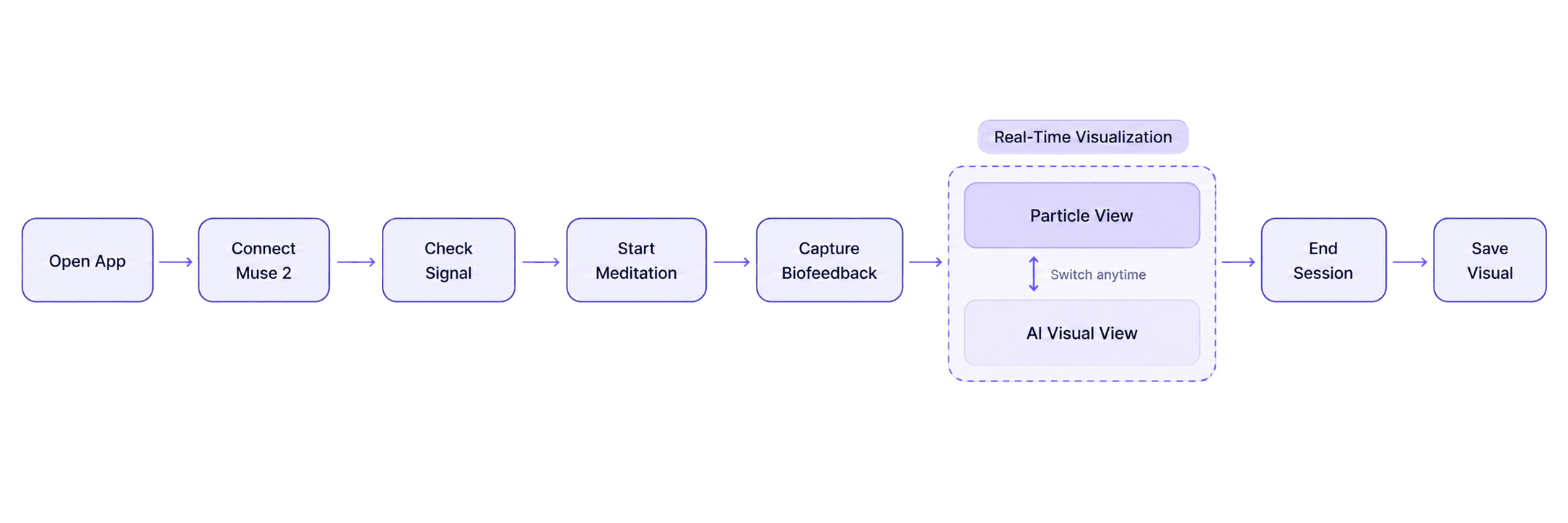
Mobile wireframes
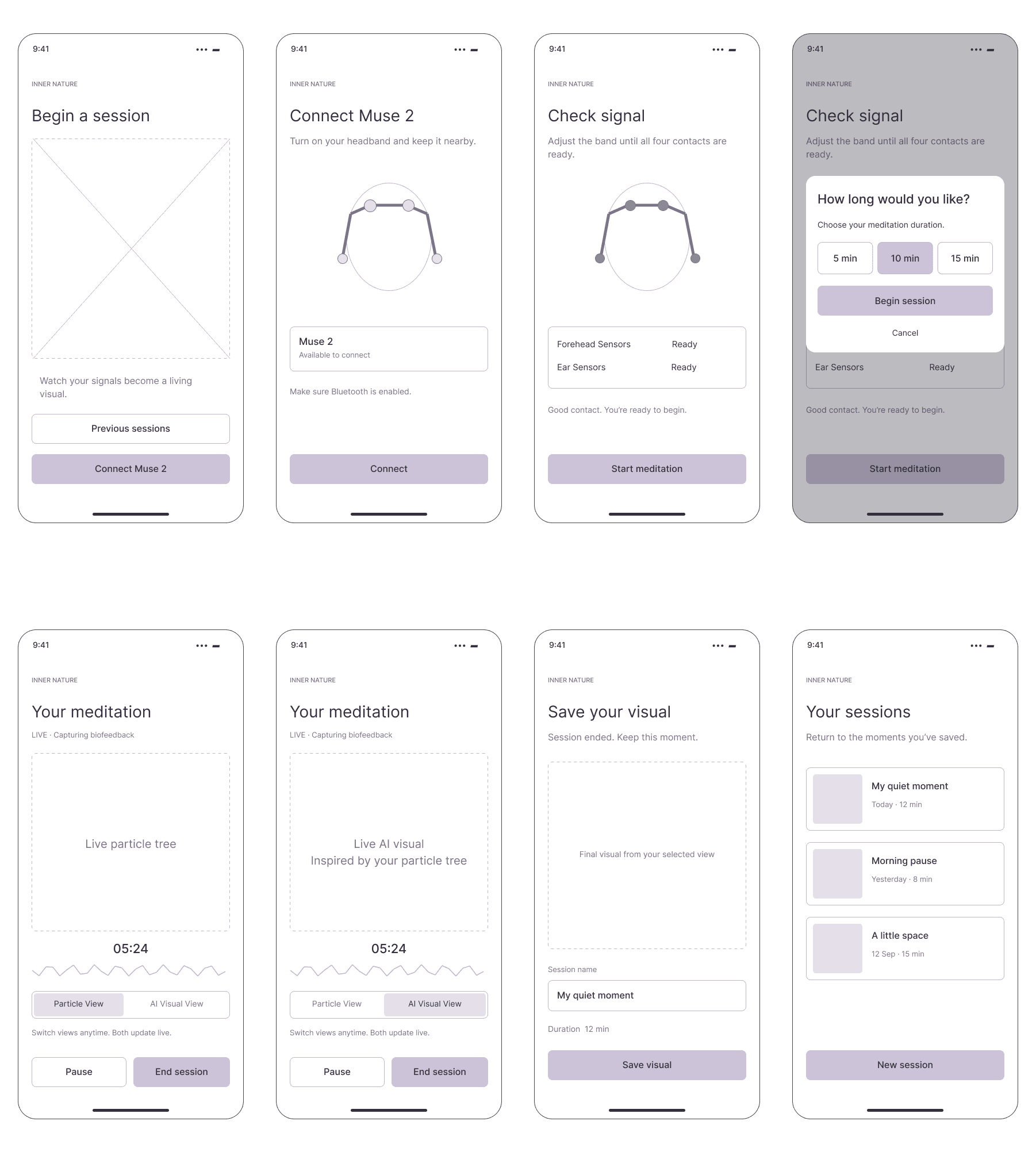
User Interface
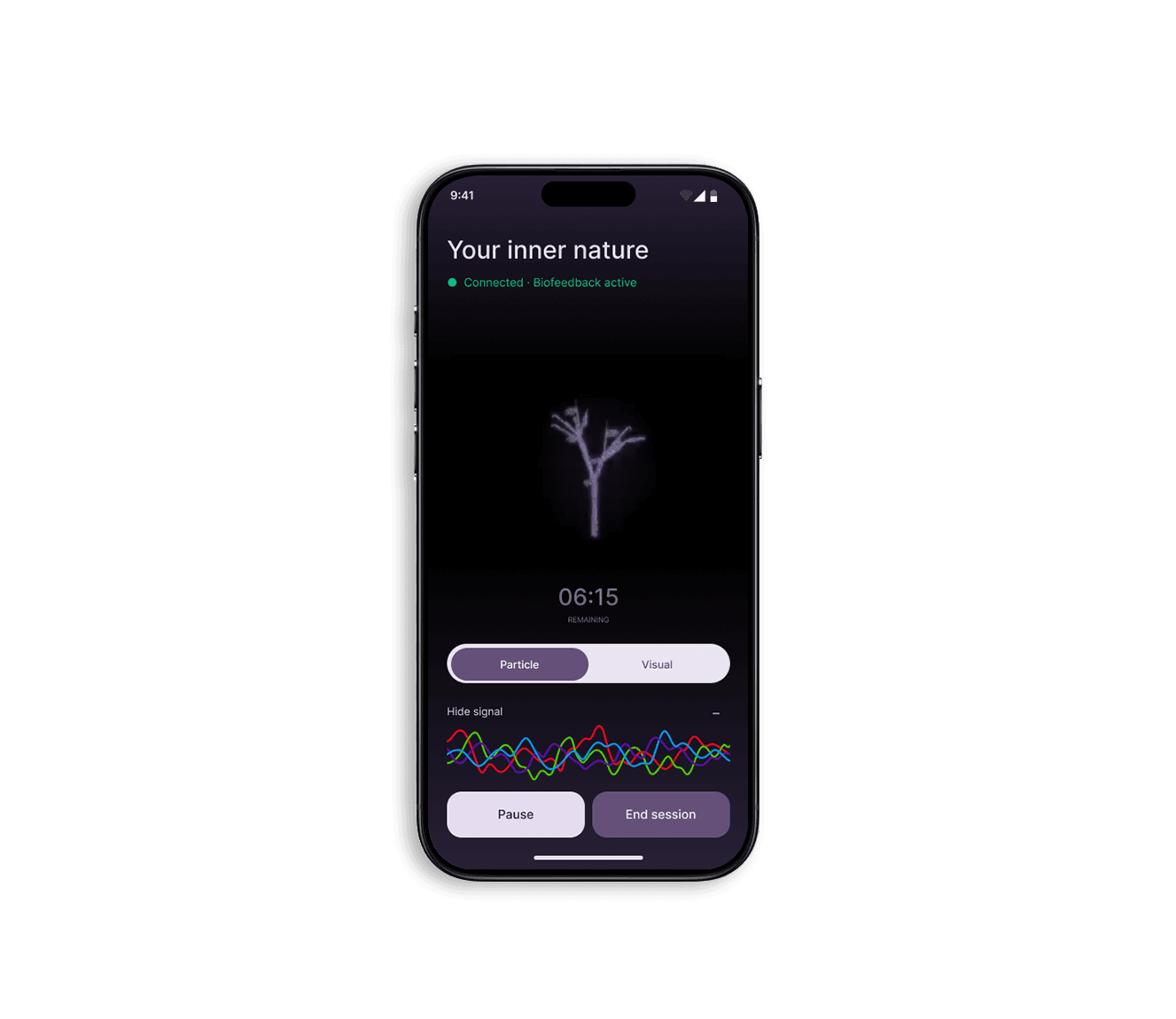
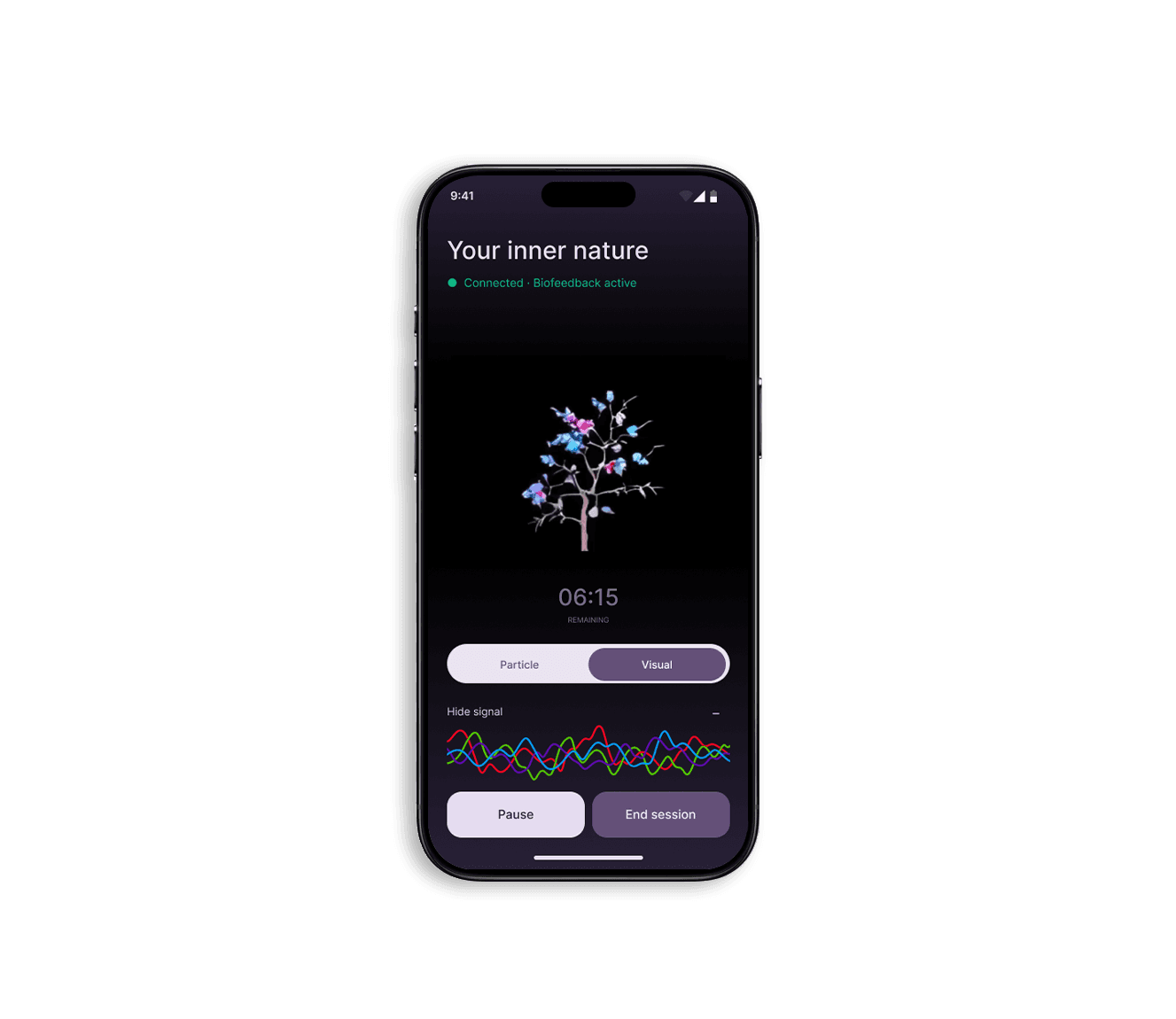
Meditation session
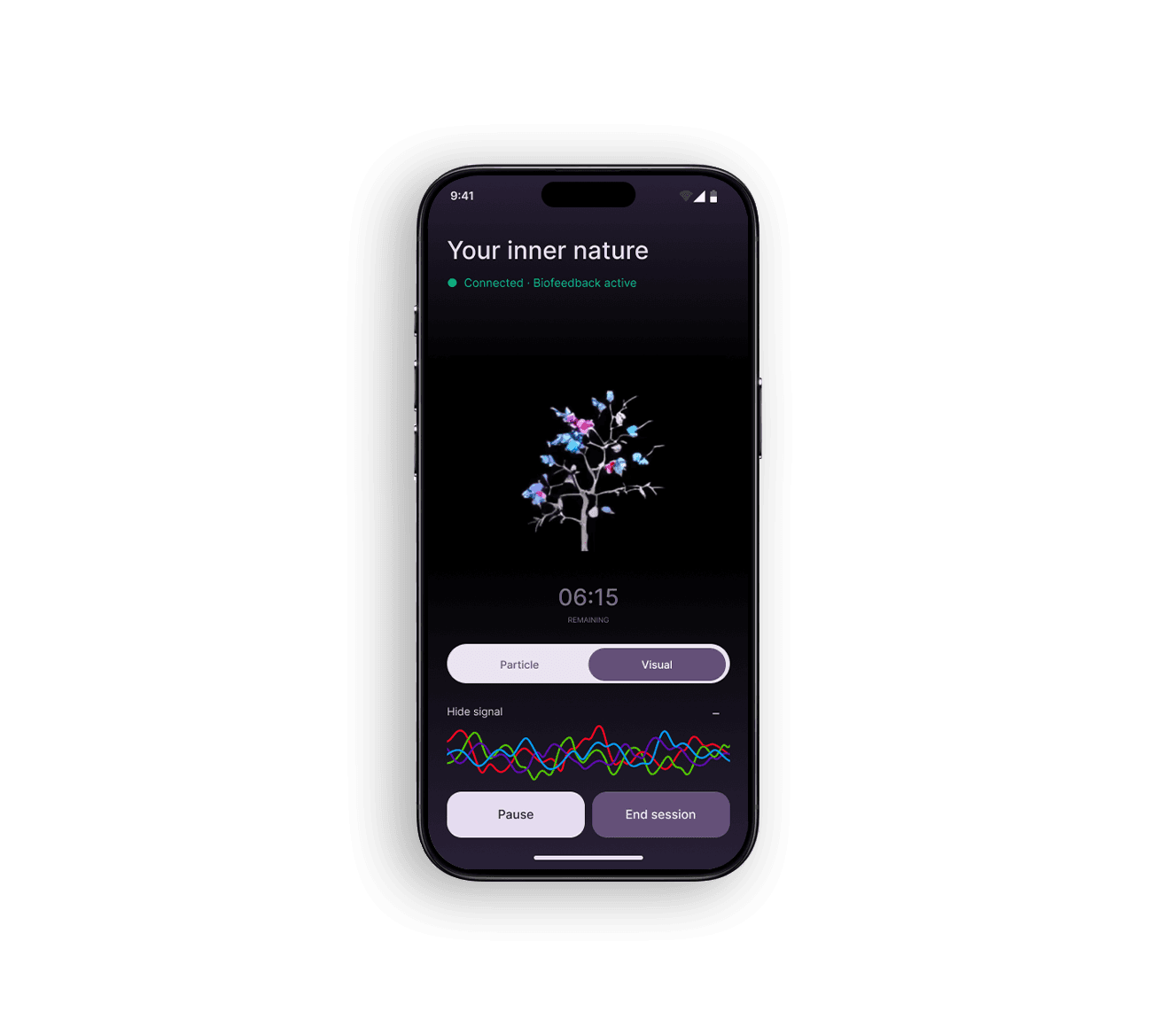
The session interface brings the biofeedback visual into focus. Switch between the generated Visual view and the reactive Particle view.
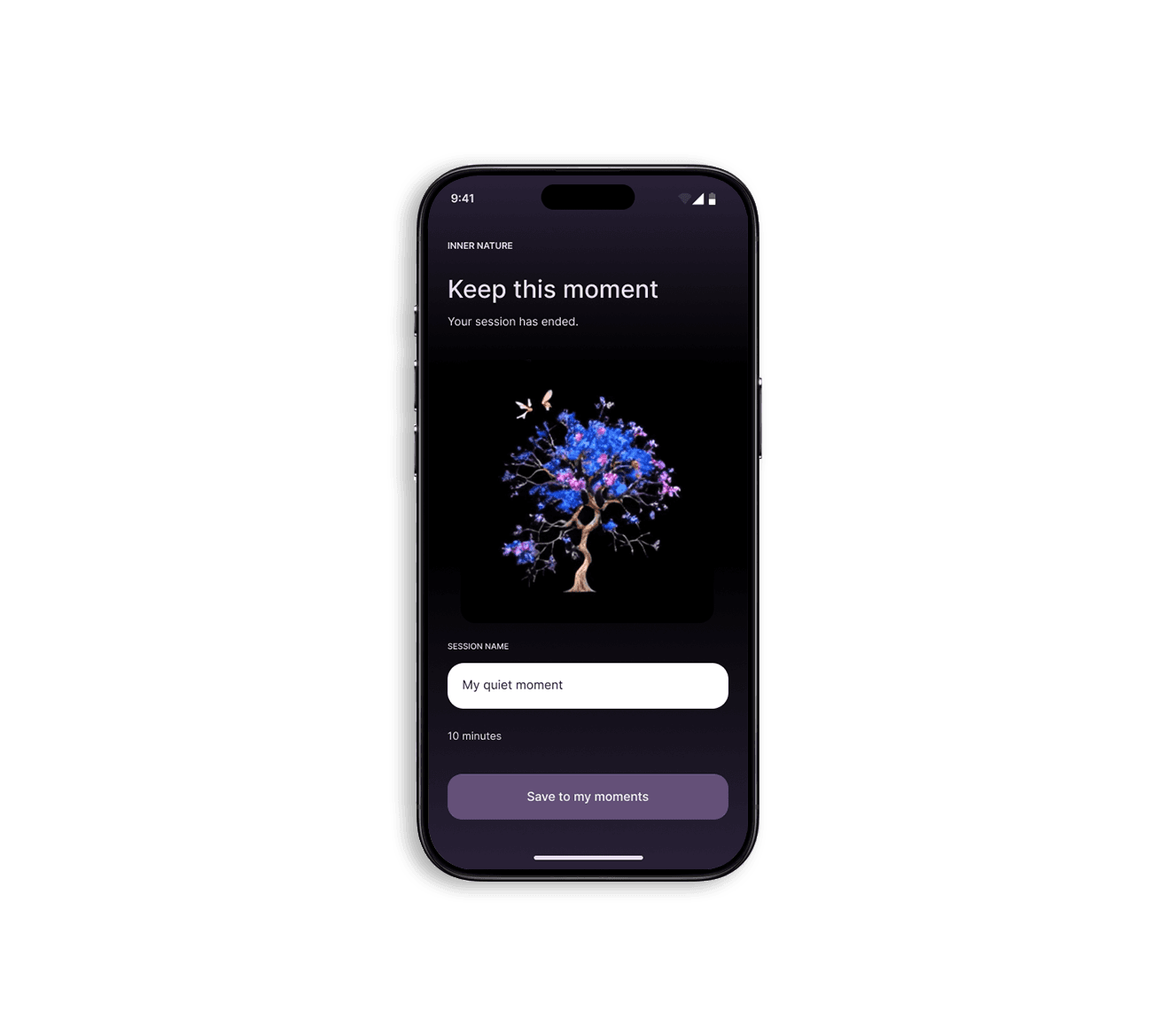
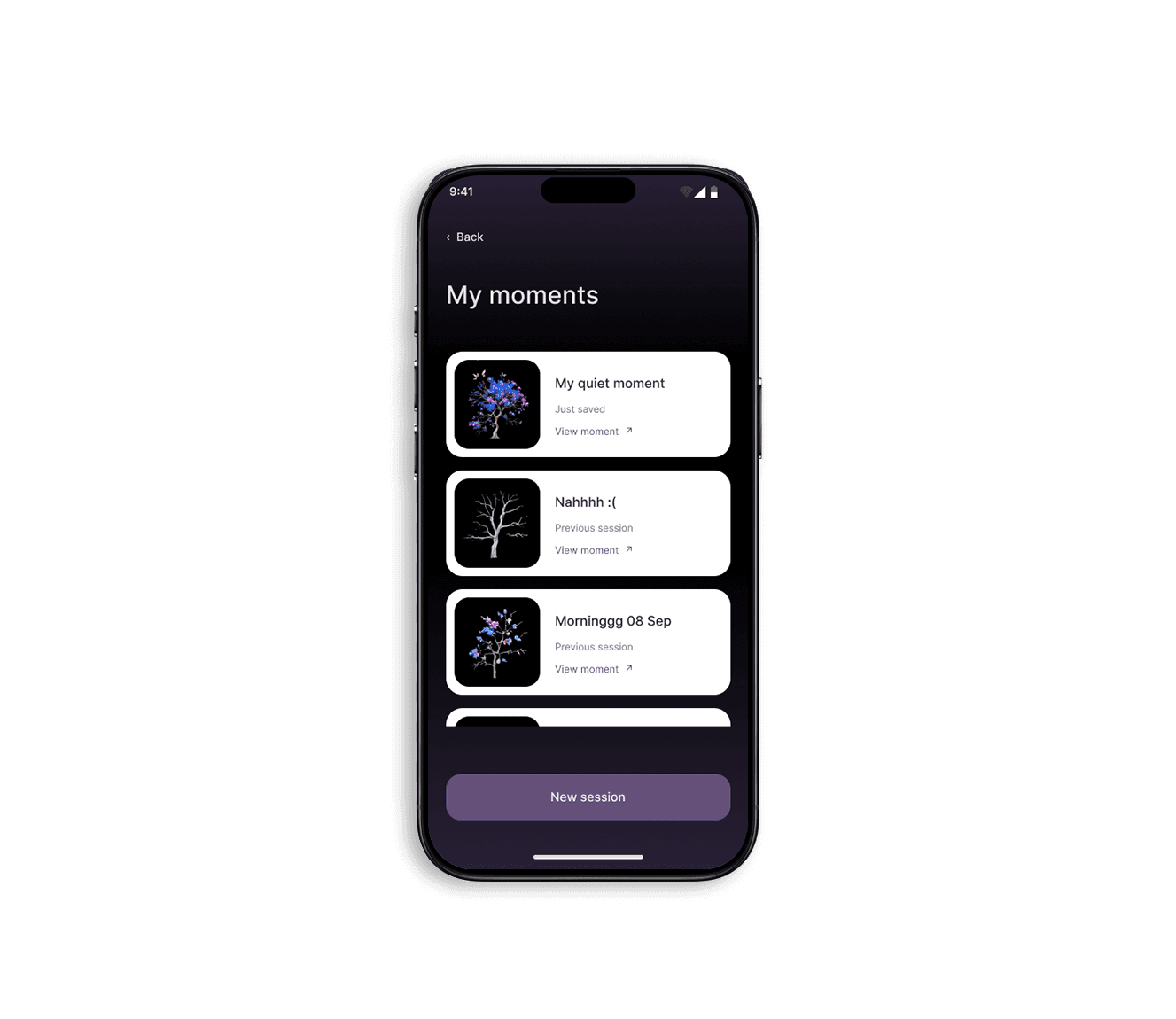
Keep your moments
Save the visual at the end of a session and give it a name. Your moments become a personal collection to revisit, with a new session always within reach.